Woodland Workshop
University Project // Early 2023 – Mid 2023
Woodland Workshop is a VR open-ended crafting, world-building game where players can build whatever their heart desires and fill their world with their own creations.
The player can construct their own creations by combining materials around in the surrounding environment, and once satisfied, can save their creations into the “carbon copier” which generates an infinite supply of pellets that players can shoot out into the world with their trusty slingshot.
Contributions
Level / World Design & Development
Gameplay Systems Design
Tutorial Design & Development
Experience gained
Designing intuitive VR interactions
Understanding effective tutorial design
Constructing worlds for VR experiences
Screenshot gallery


Designing Inutuitive VR Interactions
As this was my very first attempt at a VR game within Unity, there was a big learning curve in how I design mechanics and interactions within Woodland Workshop. Because of the “hands on” approach to the controls of a virtual video game, I had to ensure that the interactions were diegetic or as close to real-life as possible to fully utilise the novelty of VR.
An early development example of this was when I was designing a now-scrapped idea on solving how a player could theoretically stretch objects to their desired size. My first solution was to have some of gizmo within the environments which players could insert their item into, and could increase or decrease the scale of their item using two different levers.
However, upon further thought, I realised that that design could work on a PC, but it was too static for a VR game, so I reiterated the design to be more “hands on”, and have the player simply stretch or squish the item to their heart’s content, similar to stretching or squishing dough or Blu-tack.

Inital Scaling Design Storyboard
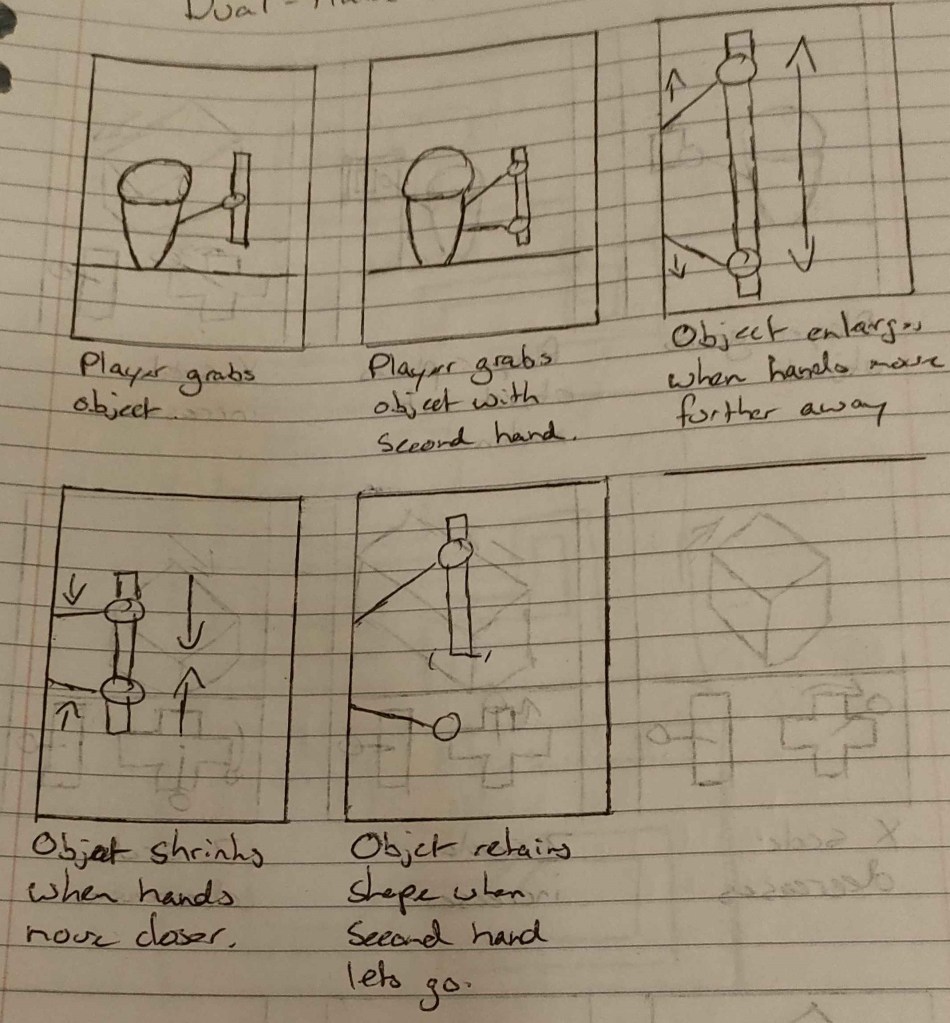
Updated Scaling Design Storyboard
Another example during development was designing a method for naming their new creations. As players saved a creation, it generates a bucket full of pellets that players can shoot out into the world with a slingshot, however, it became difficult to discern which creation was which after a few had been saved.
I decided early on the design to have post-it notes that you could pick-up and stick to the buckets that would have an appropriate name scribbled on, the challenge was solving how should the player write their creation’s name onto the post-it note.
Initially I had my PC thinking cap on again and proposed using some sort of pop-up keyboard that players could use the triggers to input letters, which again, pulled the player away from the virtual reality experience that we wanted to maximise.
So, swapping back to my VR thinking cap and with assistance from Corey Cartmill, Woodland Workshop’s lead programmer, we devised a method to take advantage of text-to-speech conversion of the player’s voice into words on the post-it note. It ultimately spawned an incredibly unique and interesting way of literally naming your creations within the game.
Understanding Effective Tutorial Design
This was also my first attempt of an in-game tutorial, so I was able to discover what building a good tutorial meant.
Initially, the tutorial was clogged with paragraphs of text that most testers began to ignore early on, then proceeded to struggle with learning the mechanics of the game, while others were attentive and had no issues.
I realised then that although there wasn’t anything inherently wrong with the content within the tutorial, but how the tutorial was presented. So, I reiterated and developed an improved version of the tutorial where the player would be able to progress through the tutorial by completing certain steps.
The ultimately resulted in players being able to understand the mechanics more clearly without boring the player immediately.
Constructing worlds for vr experiences
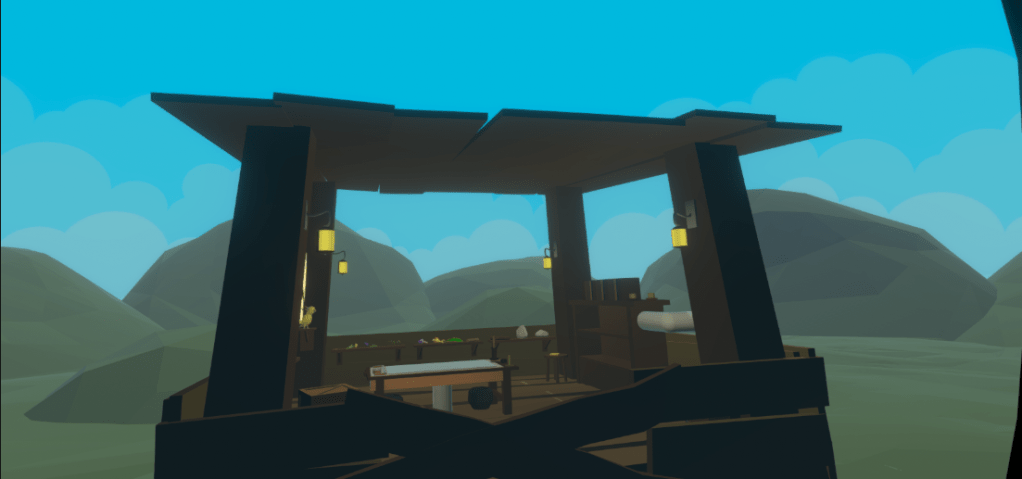
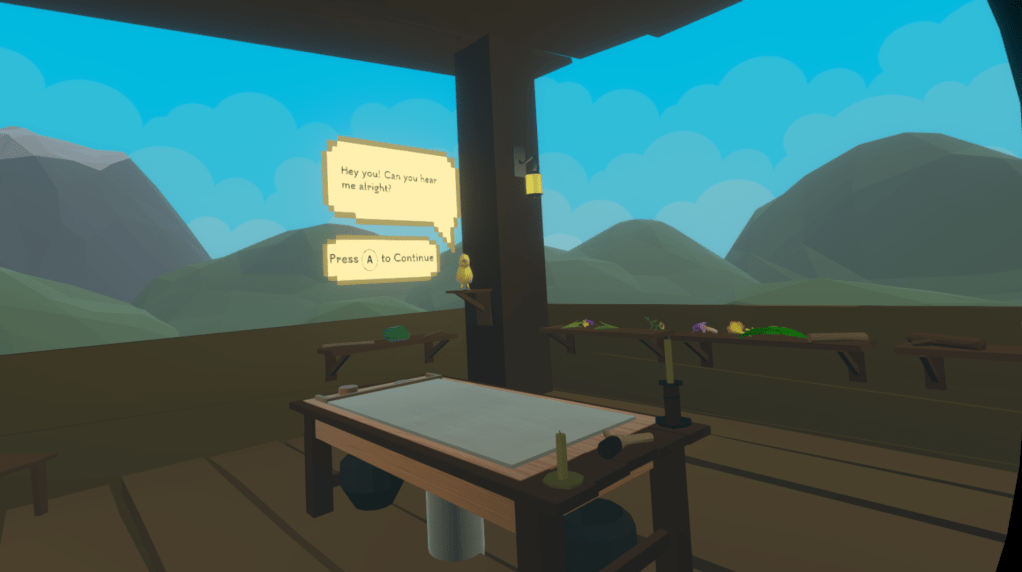
When designing and developing worlds meant for VR, there are many limitations to consider to not destroy the performance of the game.
One of these limitations is level size, as the more objects, set dressings, details put in, the higher the chance the project begins to struggle.
So to keep things efficient, I made the play size small to allow for detail, and the large surrounding environment simple and easy to run. This coincided well with the concept of the player “terraforming” the world around them within the game.
In terms of the design of the environment itself, the game’s theme was very calming, or zen at the time, and so I wanted to represent that in the level design through a cabin/lodge outpost with warm lighting and many different oaks and logs to make the environment feel inviting and calming.
Overall, the design turned out great as I was able to create an interesting environment that was light on processing power.
 Deacon Jones