Windstriders
University Project // Early 2024 – Late 2024
Windstriders is a gamified Virtual Reality Sailing experience designed to make you one of the best in the sport. In collaboration with the Victorian Institute of Sport, this project is targeted to improve your decision-making skills while out at sea. Compete against world-class sailors in intense races in Australia, your perfect your craft against yourself in time trials.
Contributions
Project/Team Management
Organising Meetings with Team & Client
Game Mode Design
UI Design
Tutorial Design
Game Mode Implementation
Time Trial Ghost Implementation
Main Menu & Gameplay UI
Tutorial Implementation
Player Profiling & Load/Saving System
Experience gained
Soft Skills Development
Time & Project Management Skills
Balancing Motion-Sickness in VR Experiences
Designing Diegetic UI Interactions for VR
Improved C# Language Proficiency
Screenshot gallery




Soft Skills Development
During my tenure as a producer for the second half of the project, I’ve had to very quickly learn and develop many soft skills to be able to aptly perform within my role. The first skill I had to learn very early on was taking initiative in my role as a producer and establishing myself as a leader within the team. In between the semesters the direction for the project was torn in two very separate directions due to expectations from contrasting parties relating to the project, and so I took the initiative and rallied the team together and steered us all towards a common goal and direction which has culminated into what we’re able to show at present day.
Along with learning leadership & taking initiative, I’ve also learnt other soft skills such as communication, teamwork, and most importantly quick-thinking and problem-solving skills. There was a time during development where the team was 15 minutes out from a progress check-in with our tutors where Blake, one of our Programmers on the project within Team Oasis, notified me that the controllers were missing and that we could not display the current state of the project to our tutors.
Thankfully I was able to remember that QUT had a loaning centre for technology located somewhere in the building we was in but I wasn’t sure where. Thinking it was only a single floor above us, I decided to take the stairs rather than the elevator thinking it would be faster. Unfortunately, the loaning centre was on the 9th floor and I was starting from the 5th floor, having to walk up 4 whole flights of stairs before finding the loan centre. Despite the toll on my legs, I was able to secure the controllers necessary to run our demonstration of the project to our tutors with no delay.
Time & project management skills
Being a producer also meant managing the time of yourself as well as your working partners. In doing so, I learnt how to effective utilise project management tools such as Trello to maximise updated progress on our project to ensure everyone on the team was on the same page. Our tasks for our project were divided in many different ways, first we had the level of priority the task needed to be complete ranging from high to low. This allowed us to properly use our time effectively and not waste time on tasks that were less beneficial to the output of the project.
Then it was divided between four fields: Programming, Design, Art & Sound. This gave clarity as to the type of task it was and who should generally be paying attention to the completion of the task.
Each task would then be allocated to one or more members that were expected to complete the task before a particular deadline attached to the task. Finally, all of these tasks were grouped by week of expected conclusion, beginning with tasks needed to be complete this week, next week, and then general catalogs of programming, design and art & sound tasks needed to be completed at a much further date.
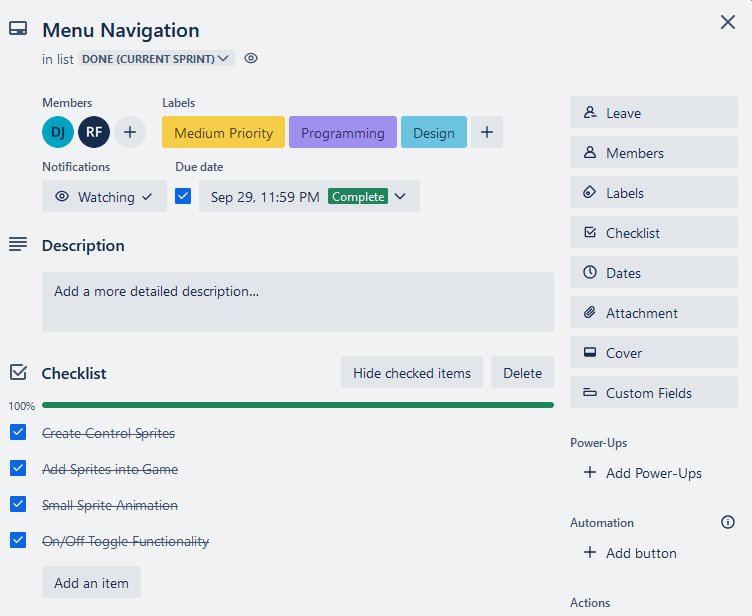
Example of one of the projects tasks and how the task was managed.
Balancing motion-sickness in vr experiences
Ensuring that our project mimicked the feel of sailing in real-life without triggering motion-sickness in our players was a unique challenge that I had not faced at this point.
Early on in development, although we had no issues with motion-sickness, we received many pieces of feedback towards the movement and controls of the sailboat, revealing that the turning as well as the general speed was very slow and sluggish for a real-life sailboat.
However, once we started to improve upon the boat’s turning capability and speed, the game felt more fun at a cost of total-playtime of a playtesting session due to the motion-sick prone gameplay.
It was a particularly difficult problem to solve as a designer, but I was able to resolve this issue in a couple of ways. First was simply finding that balance of good turning & speed to not induce motion-sickness while playing, simple trial and error based on player feedback.
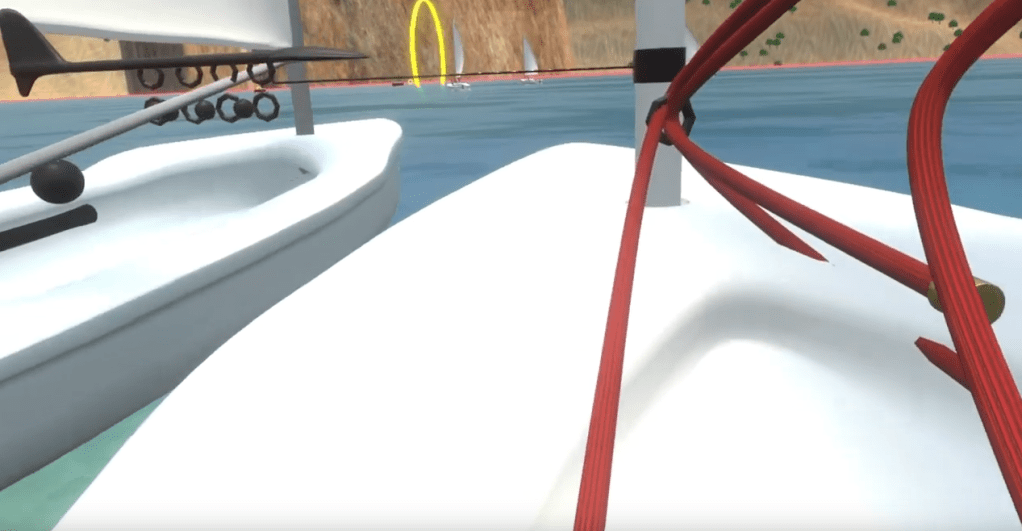
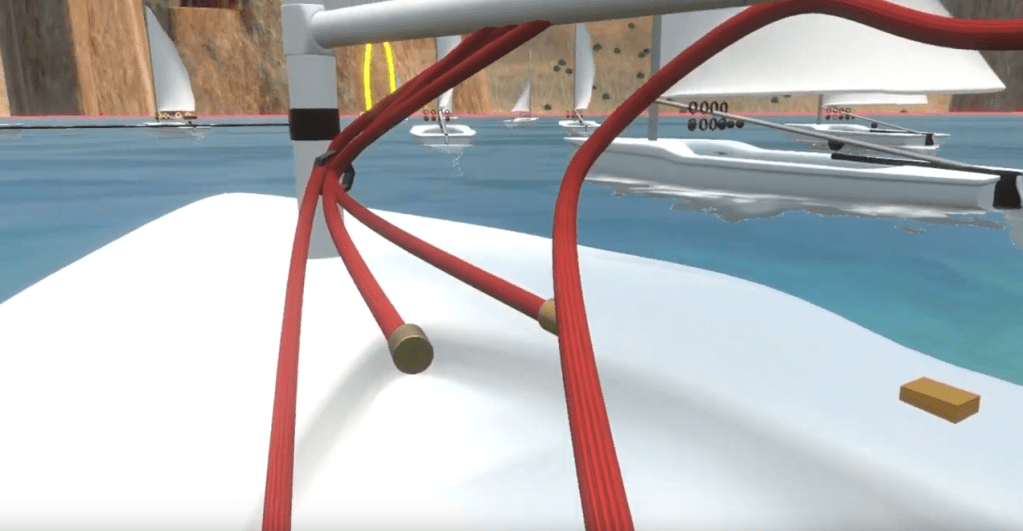
The second was altering how the player was positioned on the boat. Midway development, we had the player situated within the middle of the boat with the ropes in front and the rudder behind them, and we found that a decent percentage of our testers felt that the action of moving their heads whilst moving on a sailboat was the origin of their discomfort & sickness.
So we made changes to that by moving the player towards one of the sides of the boat, which not only enhanced the immersion of the experience as it was positioned where regular sailor would be in real-life, it drastically reduced the amount of head-turning, minimising occurrences of the motion-sickness within our project.
Designing diegetic ui interactions in vr
When first designing some of the UI interactions for our project, the interactions were non-diegetic and solely utilised the controllers as just controllers rather than an extension that the player could use to interact with the virtual world.
Ultimately, I took a step back from my original designs and fully reevaluated all of my existing design work, placing diegetic interactions and mechanics first during my design process. Allowing me to find solutions to making the UI interaction more intuitive and better utilised the VR controllers, this birthed the concept of having a holographic globe that the player could grab and spin around to access different game modes within the project which created a more interactive and enjoyable experience when interacting with the main menu.
This also gave the idea for the UI elements present within gameplay, the original idea was to have an info screen be present when looked at that displayed information such as the player’s current time & position at the front of the boat, with the end results screen detailing the player’s final time and position in the race on the right-hand side of the boat. However there were issues surrounding UI visibility as ropes or the sail would partially block the player’s vision to the UI.
To improve the vision & interactivity of the UI, by having it so that the UI screens could be attached to the player’s hands. This improved the experience with interacting with the UI as it became more apart of the player and had more “life” to the UI rather than having the UI be in a more static and dead position that wouldn’t consistently provide the necessary information.
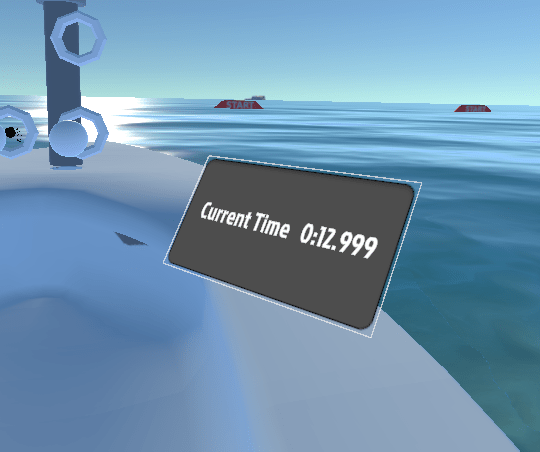
Initial Version of Gameplay UI

Final Version of Gameplay UI
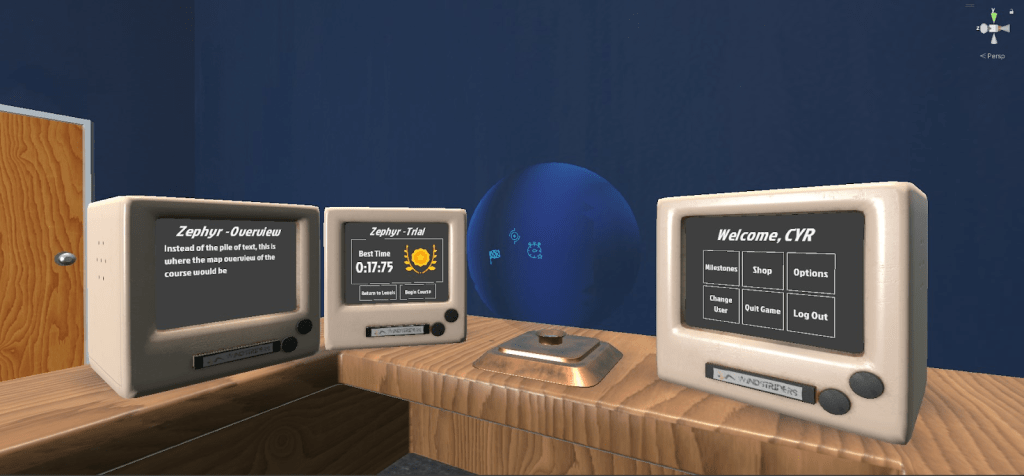
Final Main Menu Hub
 Deacon Jones